
Learn the most important game art terms used in game development pipelines, including 2D art, 3D modeling, rigging, rendering, concept art, animation, and production workflows. A practical glossary for developers, artists, producers, and outsourcing teams.
In this article
- What Is Game Art Vocabulary?
- Why Understanding Game Art Terms Matters
- Game Art Pipeline Explained
- Core Game Art Terms
- 2D Game Art Vocabulary
- 3D Game Art Vocabulary
- Animation and Rigging Terms
- Technical Art and Production Terms
- Comparison Table: 2D vs 3D Art Terms
- Common Mistakes Beginners Make
- How Game Studios Use Art Pipelines
- FAQ
Every field and every type of product manufacturing, of course, uses its own specialized terminology. Game art production is no exception. It has its own set of technical and creative terms used in the production of graphics for games. These terms generally describe workflows, assets, animation systems, methods, and collaboration processes between artists, developers, producers, and outsourcing teams.
Understanding the terminology allows teams to communicate faster, reduces the number of errors, improves collaboration, and speeds up the production of illustrations, modeling, animation, and so on. In fact, regardless of whether you are a producer, a game artist, or a client, knowing this language and understanding these terms increases work efficiency in any case.
What does game art terminology glossary usually include?
- Concept art
- 2D illustrations
- 3D modeling
- Character design
- Animation art production
- Rigging
- Rendering
- Texturing
- UI/UX
- Technical pipelines
These terms are frequently used by studios, including our own studio, publishers, independent teams, art vendors, artists, and so on.
What Is Game Art Vocabulary?
Game art vocabulary is the specialized language used across the industry to describe visual assets, workflows, techniques, and production processes. Understanding this vocabulary is essential for anyone working in game development—whether you're an artist, programmer, producer, or outsourcing partner.
Shared terminology creates a common framework for communication, reducing misunderstandings and accelerating project timelines. When a technical artist mentions "high-poly sculpting" or "PBR texturing," everyone on the team instantly understands the scope, complexity, and technical requirements involved.
Why Understanding Game Art Terms Matters
Understanding game art terminology improves communication between art directors, producers, outsourcing managers, 2D and 3D artists, game designers, clients and vendors.
Benefits of shared terminology
Benefit |
Why It Matters |
Faster production |
Teams understand feedback immediately |
Better outsourcing |
Fewer misunderstandings with external vendors |
Reduced revisions |
Clear terminology improves task accuracy |
Improved pipelines |
Departments collaborate more efficiently |
Easier onboarding |
Junior artists learn workflows faster |
For example, if a producer requests a "high-poly stylized hand-painted character with PBR textures and a rig-ready topology," every term has technical implications for production scope, budget, and engine compatibility.
Game Art Pipeline Explained
A game art pipeline is the structured workflow used to create visual assets for a game.
The pipeline differs between 2D and 3D projects, but most productions follow similar stages.
Typical Game Art Pipeline
Briefing
Initial project requirements, scope definition, and creative direction are established between the client and the art team.
Reference Collection
Visual materials are gathered to define artistic direction, including game screenshots, paintings, photographs, and mood boards.
Concept Art
Early-stage visual development of characters, environments, and assets in simplified form to align team vision.
Sketch Approval
Preliminary sketches are reviewed and approved before moving to detailed production.
Asset Production
Final models and artwork are created based on approved concepts and specifications.
Texturing and Shading
Surface details, colors, materials, and lighting responses are applied to assets.
Rigging and Animation
Digital skeletons are created and animation is applied to bring assets to life.
Engine Integration
Completed assets are imported and integrated into the game engine.
QA and Optimization
Quality assurance testing and performance optimization ensure assets work correctly in-game.
Final Delivery
Completed and optimized assets are delivered ready for production release.
What Is a Reference?
A reference is visual material that helps define the artistic direction. References are often underestimated, but in game art creation it is extremely important to convey the right atmosphere and capture stylistic nuances. This can be quite challenging because the process is highly creative, and the client's vision may not always align with the artist's vision. References are exactly what help achieve mutual understanding. They help maintain a consistent style, color palette, anatomical accuracy, lighting quality, composition, and so on.
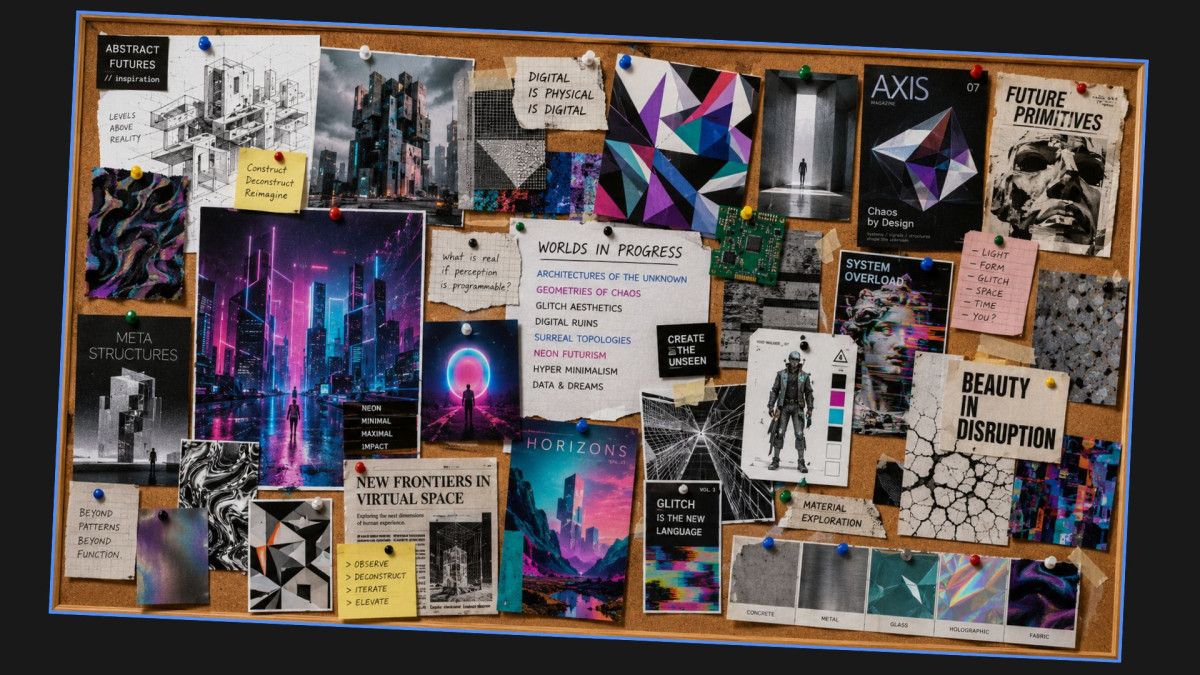
Anything can be used as a reference: game screenshots, paintings, photographs, mood boards — essentially anything that serves as inspiration and helps communicate the creator's idea.
What Is Concept Art?
Concept art is the development of visual elements at an early stage, such as characters, environments, weapon elements, and even UI and UX design components. As a rule, everything is created in a simplified form, but it allows the team to align on the main direction, make quick adjustments, and introduce changes while avoiding costly revisions later in production. In other words, concept art is the stage that comes before the final production of completed game art. It helps align the vision of stakeholders and the production team.
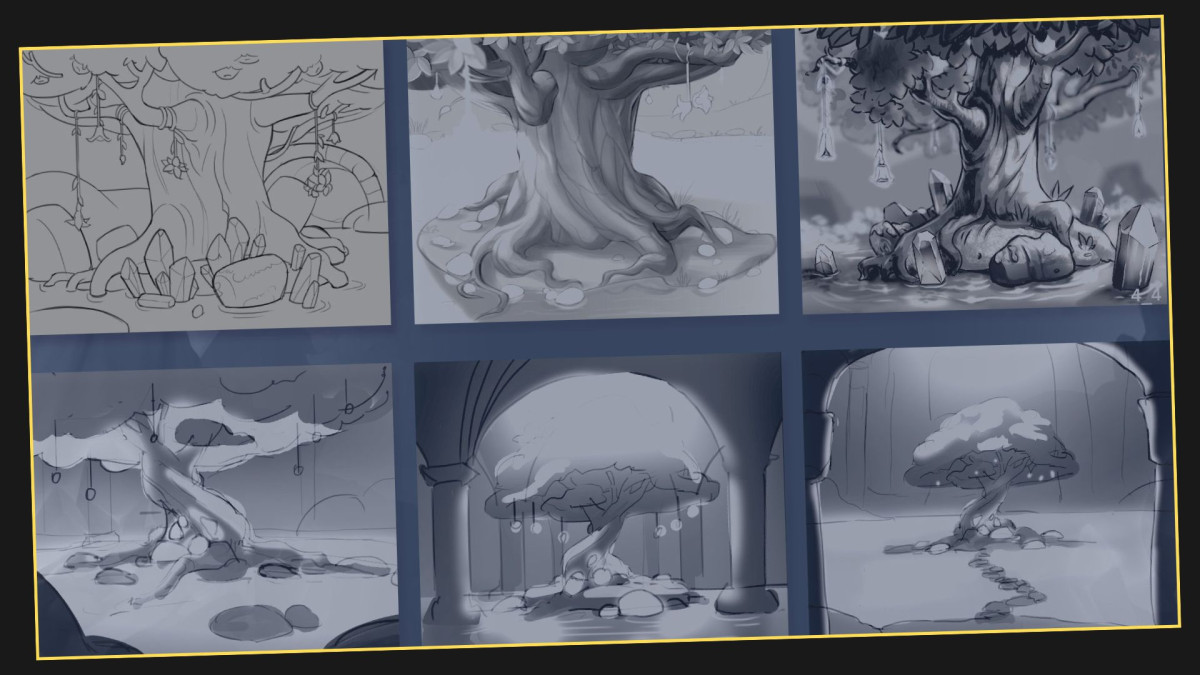
Types of concept art
Type |
Purpose |
Character concept art |
Defines appearance and personality |
Environment concept art |
Establishes world design |
Prop concept art |
Designs weapons, tools, and objects |
UI concept art |
Explores interface visuals |
Key art |
Marketing-oriented promotional visuals |
Core Game Art Terms
Asset
An asset is usually a separate visual resource or element used in a game. For example, these can include characters, weapons, icons, various objects, backgrounds, user interface elements, vehicles, visual effects, and so on. Assets can be reusable, modular, or unique.
Sketch
A sketch is usually a preliminary visual draft used to explore and develop ideas before starting detailed production. Sketches are typically created very quickly, have low detail, and are often black and white. Artists frequently create several sketch variations to make discussion and approval easier.
Render
Render is the final visual result produced in either 2D or 3D graphics, although the process differs between them. In 2D graphics, rendering includes final polishing, lighting enhancement, surface detailing, shadow work, and color correction. In 3D graphics, rendering is a more technical process that converts 3D data into a final image. Typically, rendering combines models, textures, lighting, effects, and camera settings into the finished visual output.
2D Game Art Vocabulary
2D Art
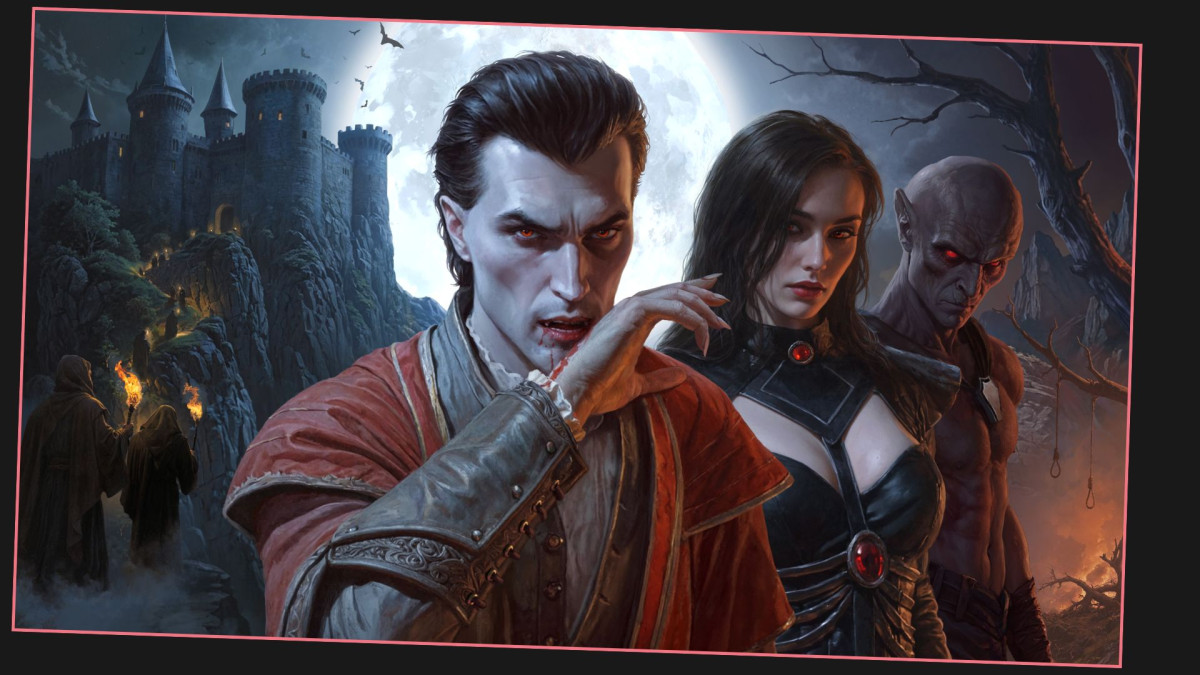
2D art is flat artwork viewed from a single perspective. 2D graphics are widely used in mobile games, indie games, visual novels, casual games, UI systems, backgrounds.
Common 2D game art styles
- Cartoon
- Anime
- Stylized
- Pixel art
- Hand-painted
- Vector art
Sprite
A sprite is a 2D image used as an in-game object. Sprites are commonly used for characters, enemies, effects, items, UI components.
Tile Set
A tile set is a collection of modular images used to build environments efficiently. Tile sets are common in RPGs, strategy games, platformers, pixel-art games.
Frame-by-Frame Animation
Frame-by-frame animation is a traditional animation method, similar to the one used in cartoons, where each frame is drawn by hand. It has both advantages and disadvantages. The advantages include high expressiveness, very organic animation, and a strong artistic style. However, there are also drawbacks. This method is usually very labor-intensive and costly, especially at large scales, and it requires a significant amount of production work.
Skeletal Animation
Skeletal animation is another method that uses so-called digital bones or joints to animate only specific layers of an image. It is quite common in mobile games, live service games, UI animation, and casual games. This type of animation is produced more quickly, revisions are easier to make, and file sizes are much smaller. However, one of the drawbacks is that the animation may appear less natural and can sometimes look rather mechanical.
3D Game Art Vocabulary
3D Modeling
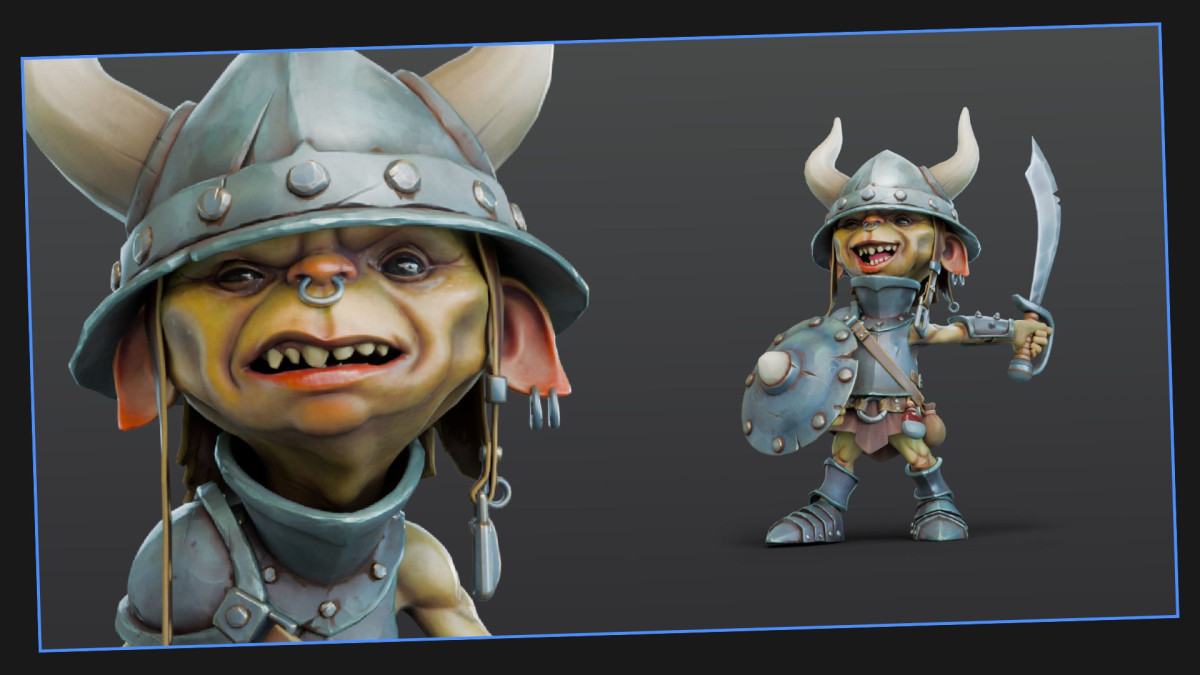
What is 3D modeling? It is the creation of three-dimensional digital objects. Unlike 2D objects, a 3D object can be rotated and viewed from all sides because it is built in full volume.
What are 3D modeling used for? Essentially, for the same purposes as 2D graphics. In 3D, artists can create characters, props, weapons, vehicles, creatures, and more. As a rule, 3D is widely used in AAA games and projects designed for large screens, although it is not limited to them. 3D graphics are also commonly used in mobile games.
High Poly vs Low Poly
Term |
Definition |
High poly |
Detailed model with many polygons |
Low poly |
Optimized model with fewer polygons |
When are they important and where are they used? High-poly models are typically used for sculpting, cinematics, and creating detailed texture maps. Low-poly models are generally used for real-time gameplay and optimization purposes. They significantly reduce the load on the game engine and improve performance.
Topology
Topology refers to the structure and flow of polygons in a 3D model.
Good topology improves:
- Animation quality
- Deformation
- Performance
- Rigging stability
UV Mapping
UV mapping is the process of projecting a 3D model onto a 2D texture space.
This allows artists to apply:
- Textures
- Materials
- Decals
- Surface details
PBR (Physically Based Rendering)
PBR is a rendering approach that simulates realistic material behavior under light.
PBR workflows use texture maps such as:
- Albedo
- Roughness
- Metallic
- Normal maps
- Ambient occlusion
PBR has become the industry standard for modern engines like Unreal Engine and Unity.
Animation and Rigging Terms
Rigging
Rigging is the process of creating a digital skeleton for a 3D model. Rigging enables:
- Character animation
- Facial animation
- Physics simulation
- Procedural movement
Skinning
Skinning binds a 3D mesh to a skeleton so the model deforms correctly during animation.
IK (Inverse Kinematics)
Inverse kinematics automatically calculates joint movement based on target positions. IK is commonly used for:
- Foot placement
- Hand interaction
- Climbing systems
- Procedural animation
Motion Capture (mocap)
Motion capture records real human movement and applies it to digital characters. AAA studios frequently use mocap for:
- Cinematics
- Combat animation
- Facial performances
- Realistic movement systems
Technical Art and Production Terms
Technical Artist
A technical artist bridges the gap between art and programming. Technical artists work on:
- Shaders
- Engine integration
- Procedural systems
- Pipeline automation
Shader
A shader is a program that controls how surfaces react to light. Shaders define:
- Transparency
- Glow
- Reflections
- Water effects
- Skin rendering
- Stylized visuals
Optimization
Optimization improves performance while preserving visual quality. Optimization techniques include:
- LODs (Level of Detail)
- Texture compression
- Polygon reduction
- Draw call reduction
- Baking lighting
Comparison Table: 2D vs 3D Art Terms
Feature |
2D Art |
3D Art |
Perspective |
Flat |
Three-dimensional |
Production Speed |
Faster initially |
More technical |
Animation |
Sprite/frame-based |
Rigged animation |
Use Cases |
Casual, indie, mobile |
AAA, realistic games |
Performance Cost |
Lower |
Higher |
Asset Reusability |
Moderate |
High |
Pipeline Complexity |
Simpler |
More advanced |
Common Mistakes Beginners Make
Confusing concept art with illustration
Very often, people confuse concept art with illustration. In reality, concept art is an exploratory stage; it is usually not highly detailed or fully polished. The quality standard for concept art is generally lower because its purpose is to explore ideas. Illustration, on the other hand, is a final, polished, fully completed piece of artwork.
Ignoring topology
Poor topology creates animation and rigging problems later in production.
Over-detailing early sketches
Another common issue is excessive detailing in early sketches. Artists often want to finalize and polish everything immediately, but during the early exploration stages, speed and iteration should take priority over refinement.
Misunderstanding optimization
Of course, everyone wants beautiful art with a high level of detail and flawless visuals. However, it is important to maintain a balance between high-quality assets and game engine performance. Everything needs to work together efficiently and smoothly.
How Game Studios Use Art Pipelines
Modern game studios use structured pipelines to coordinate large multidisciplinary teams.
A typical AAA production pipeline may involve:
- Art directors
- Outsourcing managers
- Internal artists
- Technical artists
- Animators
- Engine programmers
- QA specialists
Studios standardize terminology because consistent communication reduces delays, revision costs, and production risk.
This becomes especially important in distributed development environments involving remote teams, vendors, and multilingual production pipelines.
Summary
Actually, game art vocabulary forms the foundation of communication in modern game development. Understanding terms like concept art, rigging, topology, rendering, PBR, and optimization helps developers, artists, and outsourcing partners collaborate efficiently.
Strong knowledge of game art terminology improves production quality, accelerates onboarding, reduces revision cycles, and creates better alignment between creative and technical teams.
As game production pipelines become more global and specialized, shared vocabulary becomes a critical part of scalable game development.


